

Minecraft Bedrock addons can be activated in a new world, an existing world or a Realm. The exact menu path changes slightly, but the basic rule is the same: activate the required Behavior Pack and Resource Pack, wait for Minecraft to finish applying them and test valuable worlds on a copy.
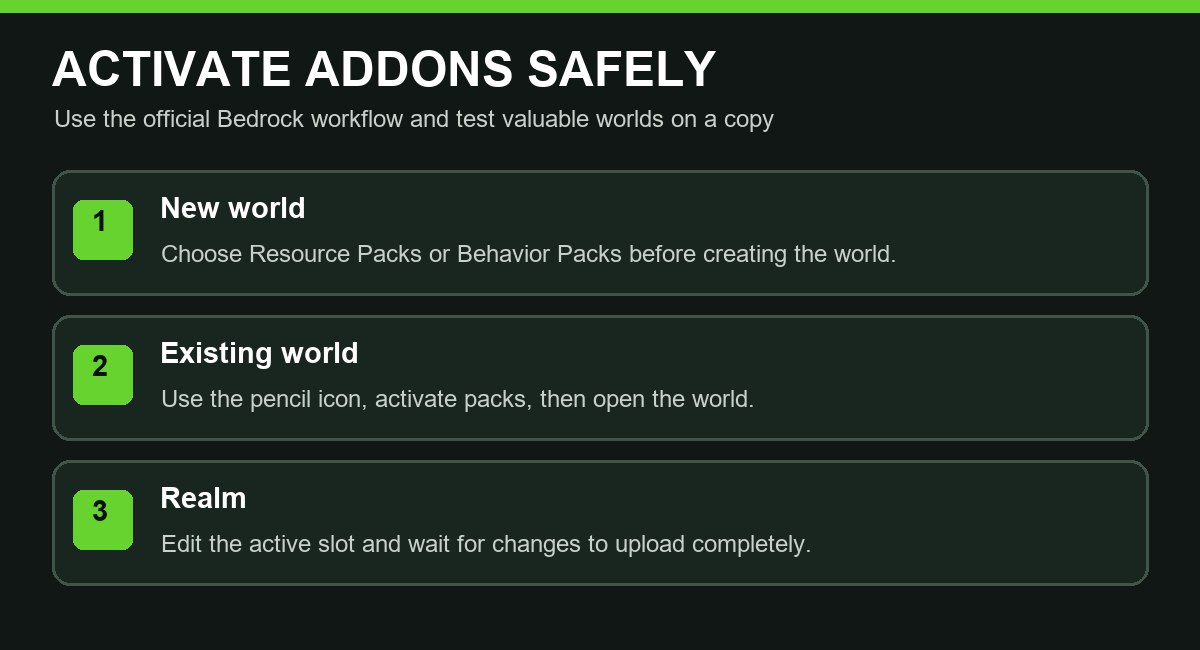
How to activate an addon in a new world
- Launch Minecraft and select Play.
- Choose Create New.
- Select Marketplace content or create a new world.
- Open Resource Packs or Behavior Packs.
- Find the addon under the available or owned packs.
- Select Activate.
- Repeat for the second pack if the addon requires both.
- Finish the world settings and select Create.
How to add an addon to an existing world
- Open Play and stay on the Worlds tab.
- Select the pencil icon beside the world.
- Open Resource Packs or Behavior Packs.
- Choose the addon and select Activate.
- Confirm dependencies if Minecraft displays them.
- Return to the world screen and select Play.
How to activate addons on a Realm
- Select Play → Realms.
- Open the Realm settings.
- Choose the active world slot and select Edit World.
- Open Resource Packs or Behavior Packs under Add-Ons.
- Select the required pack from My Packs or Marketplace Pass Packs.
- Choose Activate and confirm the change.
- Return to the Realm and wait for the world upload to finish before joining.
Players who join the Realm automatically download the packs that the Realm requires. The owner should avoid closing Minecraft while changes are uploading.
Behavior Pack or Resource Pack?
| Pack | Typical purpose |
|---|---|
| Behavior Pack | Gameplay logic, entities, recipes, scripts and mechanics. |
| Resource Pack | Textures, models, sounds, animations and translated names. |
Many addons require both. If only the Behavior Pack is active, custom content may work with missing textures. If only the Resource Pack is active, the models may exist but the gameplay system may not run.
Common problems and solutions
The addon does not appear in My Packs
Import the .mcaddon or .mcpack file again and wait for the success message. Confirm that the file was made for Bedrock Edition.
Missing dependencies
Activate every pack included by the creator. Keep matching versions together and remove older duplicate versions from the world’s active list.
Pink textures or invisible items
The Resource Pack may be missing, outdated or below another pack that overrides the same resources. Activate the matching resource pack and check pack order.
The Realm upload fails
Confirm that Minecraft is updated, the Realm subscription is active and the connection is stable. Test the same packs in a local copy before uploading again.
Do I need experiments?
Only enable experiments when the addon documentation requires them. Experimental worlds can behave differently after updates, so keep a backup.
Safe checklist before playing
- Use the current addon version from its official creator page.
- Activate every required pack.
- Place dependencies in the order requested by the creator.
- Test on a copied world.
- Let Realm uploads and downloads complete fully.
Official sources: Activate Add-Ons in Minecraft: Bedrock Edition and Access Minecraft Marketplace content.


