

🔥 System Dynamic Lights – Minecraft Bedrock
Portable dynamic lighting with personal settings, world controls and custom addon light sources.
System Dynamic Lights adds portable dynamic lighting to Minecraft Bedrock. Supported light items can illuminate around you while you move and can work from the main hand, offhand, compatible helmets, dropped items and supported entities.
The addon is designed for survival, multiplayer and Realms, while its in-game configuration system lets players personalize their own lighting and lets operators control world-wide behavior and performance.
🆕 System Dynamic Lights V3.3.2
V3.3.2 expands entity and projectile lighting and improves how overlapping moving light sources are processed and cleaned.
- Added Custom Entity Lights for mobs from other addons
- Added selectable light levels from 1 to 15
- Added nearby-entity selection and support for up to 24 custom entities
- Added or improved light from fireballs, burning arrows, primed TNT, End Crystals and XP Orbs
- Improved brightness priority when several entity lights overlap
- Adjusted primed TNT light intensity
- Fixed projectiles leaving permanent light behind
- Improved moving-light cleanup and controlled entity processing
🧩 Custom Entity Lights
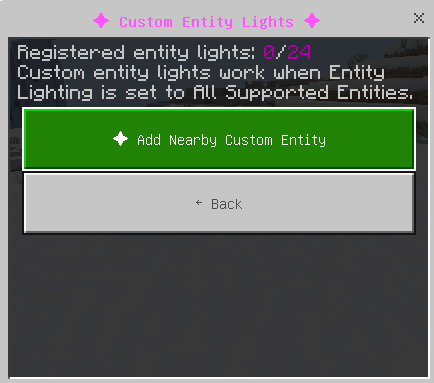
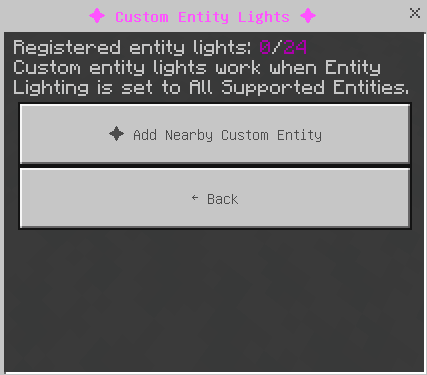
Operators can register entities from other addons as dynamic light sources without modifying the other addon.

- Move close to the custom mob.
- Open Custom Entity Lights.
- Select Add Nearby Custom Entity.
- Choose the entity.
- Select a light level from 1 to 15.
Up to 24 custom entity lights can be registered. They can be edited, removed or cleared from the same menu and work when Entity Lighting is set to All Supported Entities.

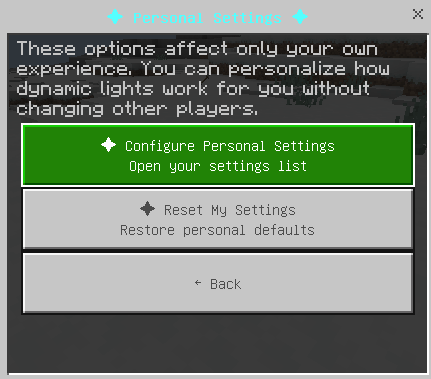
👤 Personal Settings
Personal Settings only affect the player who changes them. This means every player in a multiplayer world can choose their own lighting and item-information preferences without changing anyone else's.
Personal settings include:
- My Dynamic Light
- Offhand Light
- Helmet Light
- Preferred Light Source
- Offhand Activation Method
- Offhand Torch Placement
- Offhand Place Light Blocks
- Item Information
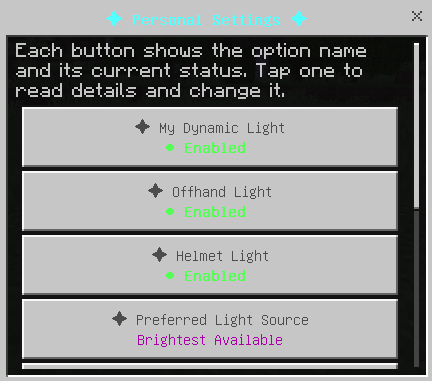
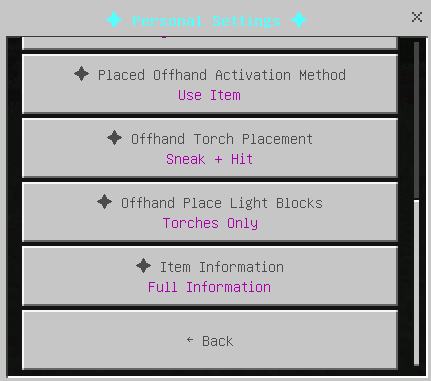
For example, one player can use full item information while another keeps cleaner item lore.
🌍 World Settings
World Settings affect the entire world and can only be changed by the host or players with operator permissions.
World settings include:
- Enable Dynamic Light
- Dropped Item Lights
- Maximum Dropped Item Lights
- Entity Lighting
- Dimension Settings
- Performance Presets
- Custom Light Sources
- Reset World Settings
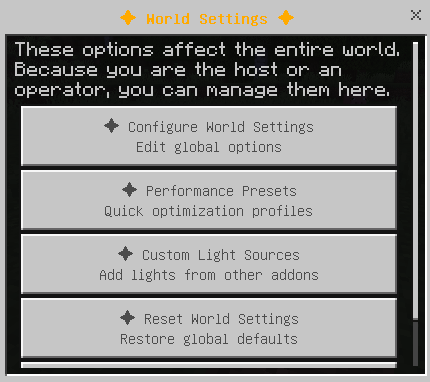
Normal players can still open the menu and read these settings, but they cannot modify global options without permission.
🚀 Performance Presets
Performance Presets make it easier to configure world-wide lighting without changing every performance option one by one.
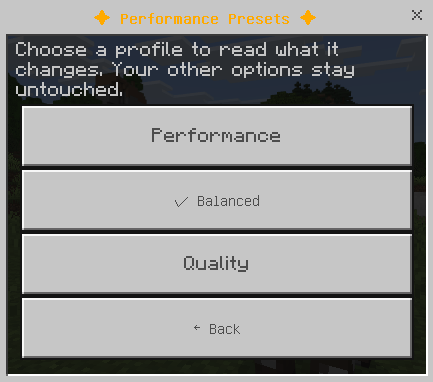
Dropped lights: Enabled
Maximum dropped lights: 10
Entity lighting: Natural glowing mobs only
Dropped lights: Enabled
Maximum dropped lights: 25
Entity lighting: All supported entities
Dropped lights: Enabled
Maximum dropped lights: 50
Entity lighting: All supported entities
🧩 Custom Light Sources
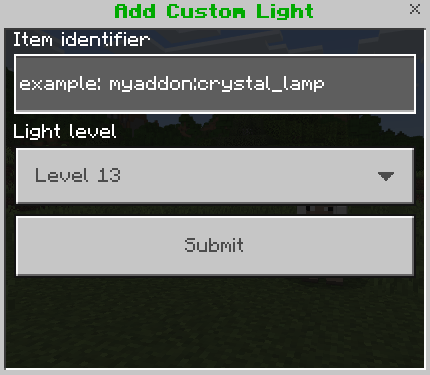
Operators can register item IDs from other addons and assign them their own dynamic light level.
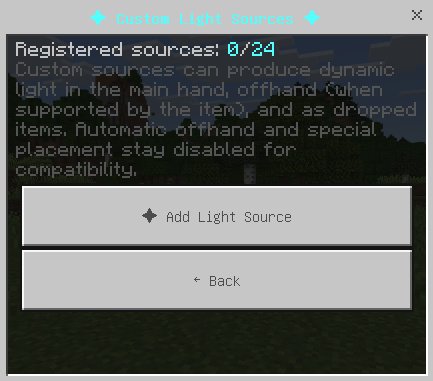
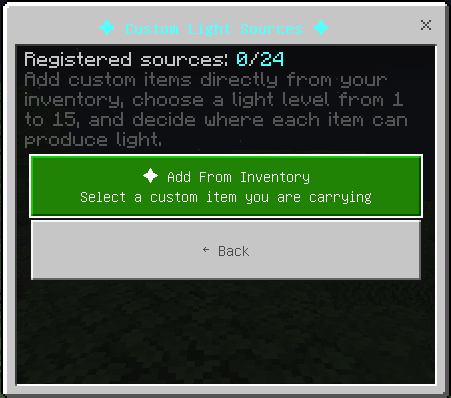
Available custom light levels:
- Level 6
- Level 9
- Level 11
- Level 13
- Level 15
Custom light sources can work as:
- Main-hand light
- Offhand light, if the item supports being held there
- Dropped item light
Custom sources do not automatically receive special offhand movement or special block placement behavior.
Up to 24 custom light sources can be registered.
Example item ID:
myaddon:crystal_lamp
Vanilla minecraft: items are already managed by the addon,
so this system is intended mainly for items from other addons.
✋ Offhand Dynamic Lighting
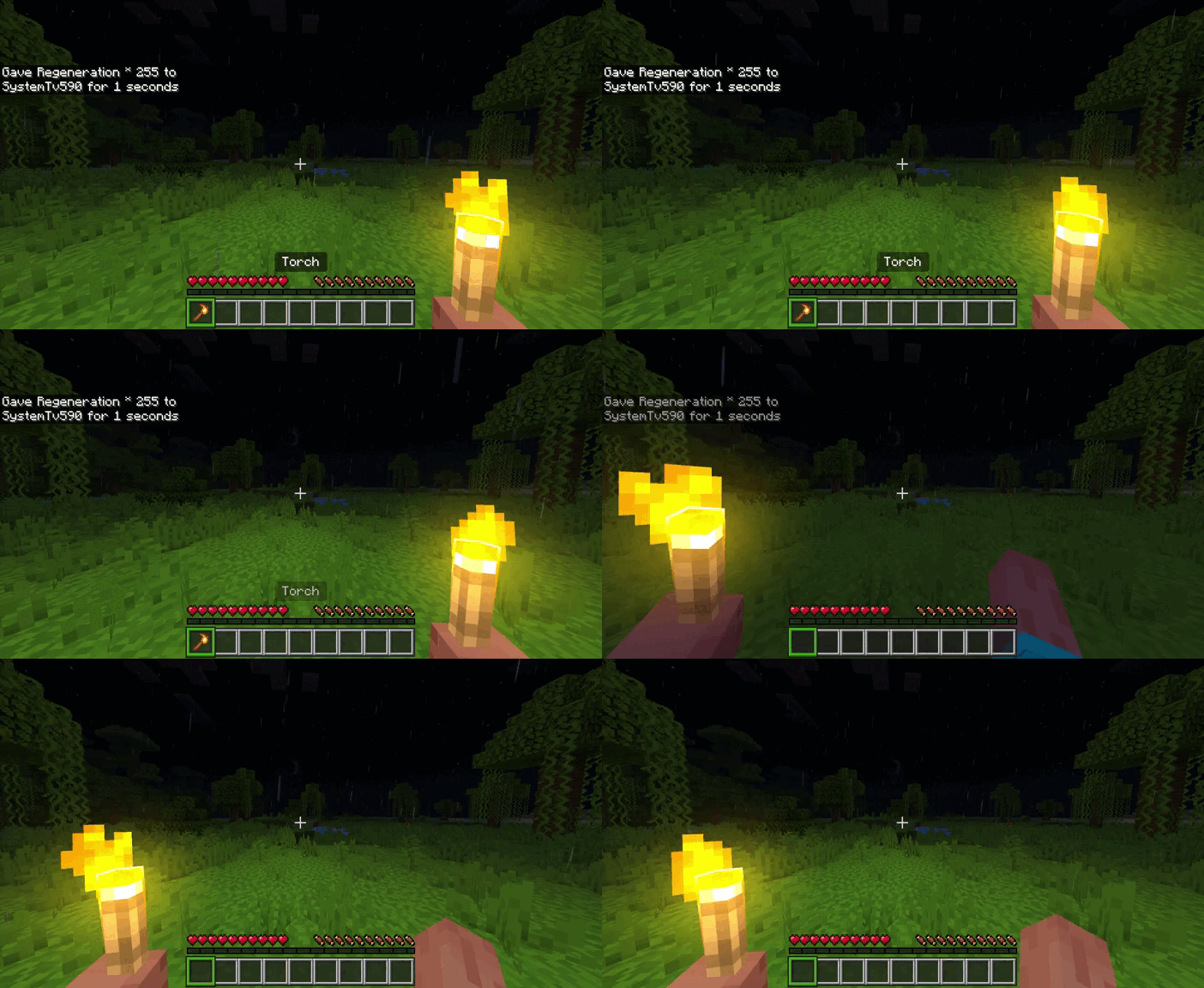
Supported light items can be moved to the offhand without manually placing them in the slot.
Hold a supported light source in your main hand, look toward empty air and use the item.
- PC: Right-click
- Mobile: Press and hold the screen
- Console: Use the normal interact/use button
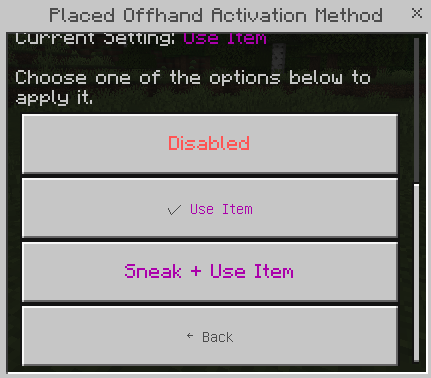
The offhand must be empty. Looking at empty air is important because it helps prevent the light block from being placed by mistake.
🧱 Place Lights From the Offhand
Some supported light blocks can be placed directly from the offhand.
When the option is enabled, use Sneak + Hit.
You can choose between:
- Torches Only
- Torches and Lanterns
- All Placeable Lights
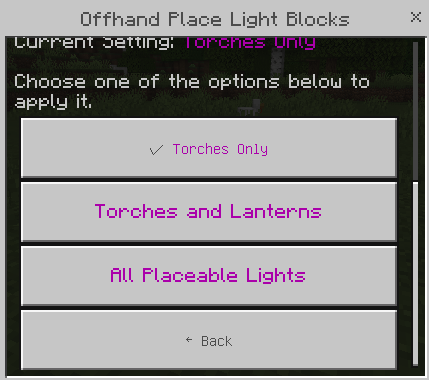
Not every light-emitting item has a placeable block version, so some supported items only provide dynamic light.
💡 Supported Light Items
System Dynamic Lights supports many vanilla Minecraft light items.
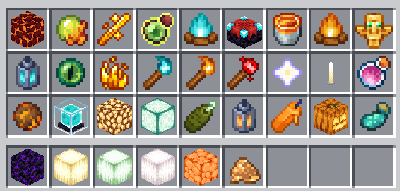
Examples include:
- Torch
- Soul Torch
- Redstone Torch
- Lantern
- Soul Lantern
- Campfire
- Soul Campfire
- Candle
- Glowstone
- Shroomlight
- Sea Lantern
- Sea Pickle
- Lava Bucket
- Beacon
- Conduit
- Brewing Stand
- Redstone Dust
- Redstone Repeater
- Redstone Comparator
- Totem of Undying
- Nether Star
- Glowstone Dust
- Blaze Rod
- Blaze Powder
- Glow Ink Sac
- Fire Charge
- And more supported light items
The addon uses exact IDs and controlled item families to avoid incorrect matches between unrelated items with similar names.
📜 Item Information / Lore
Supported light items can show additional information directly in their item description.
The lore can show:
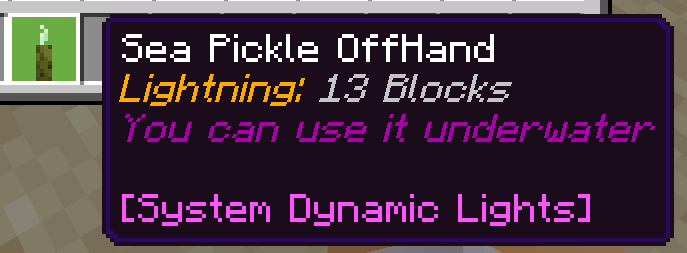
- System Dynamic Lights marker
- Light Level
- Whether the item works underwater
- Whether it can be moved to the offhand
- Whether it can be placed from the offhand
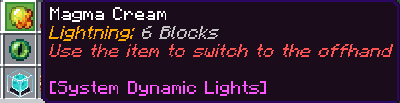
Available Item Information modes:
- Disabled
- Light Level Only
- Full Information
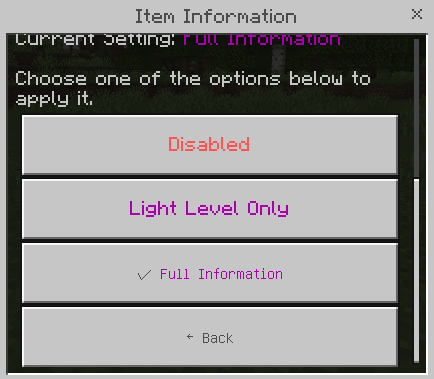
Recent versions also improved lore cleanup to prevent addon information from being duplicated on supported items.
⚙️ Configuration Book
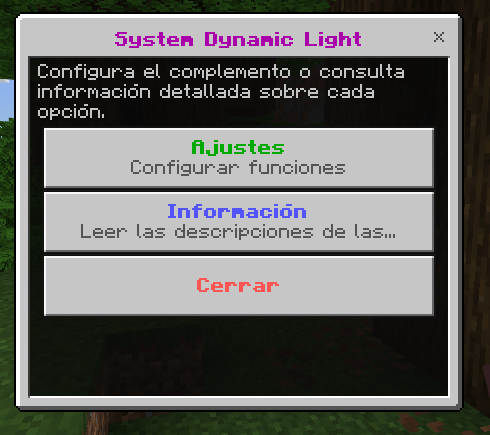
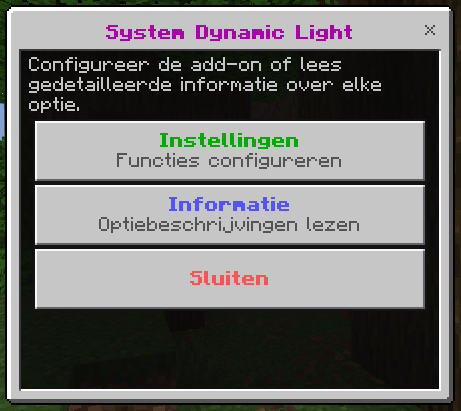
The addon includes the System Dynamic Light Config book. Its menu now uses clearer colored status text so you can quickly see which settings are enabled, disabled or using another value.
The main menu includes:
- Personal Settings
- World Settings
- Information
- Close
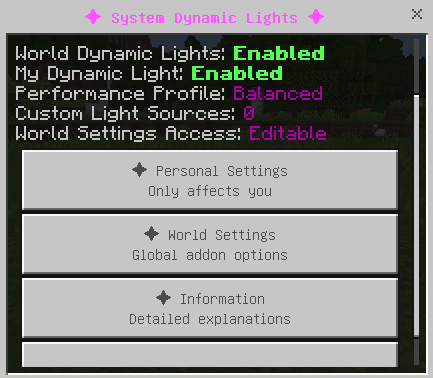
The Information section explains each setting directly inside Minecraft.
🎯 Light Source Priority
When multiple player light sources are available at the same time, the addon can decide which source should control your dynamic light.
Possible sources include:
- Helmet
- Offhand item
- Main-hand item
Available priority modes:
- Brightest Available
- Original Priority
- Prefer Helmet
- Prefer Offhand
- Prefer Main Hand
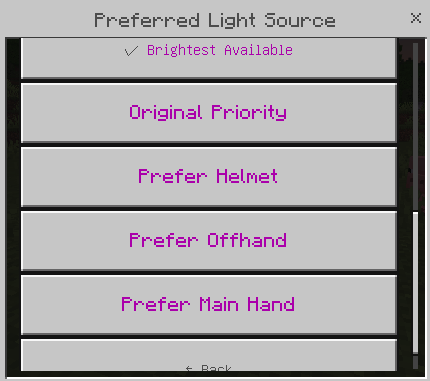
If your preferred source is unavailable, the addon can use the brightest remaining light source.
💨 Dropped Item Lighting
Supported light items can illuminate the area after being dropped on the ground.
For example, a dropped torch or lava bucket can create dynamic light where it lands.
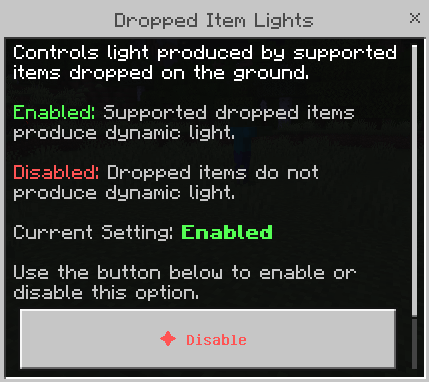
You can limit how many dropped item lights are processed per dimension:
- 10 Lights
- 25 Lights
- 50 Lights
- Unlimited
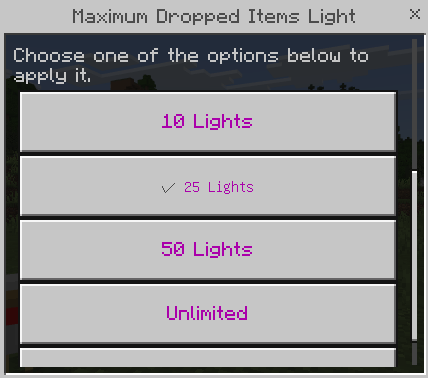
Lower limits are recommended for Realms or lower-end devices.
👹 Entity & Projectile Lighting
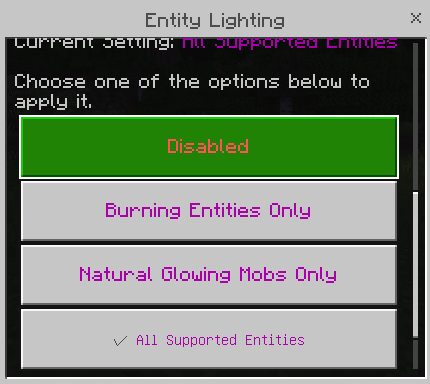
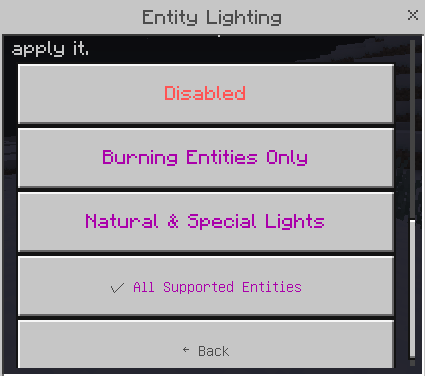
Entities produce dynamic light according to the operator's selected mode.
- Disabled
- Burning Entities Only
- Natural & Special Lights
- All Supported Entities
Natural and special sources include Blaze, Magma Cube, Glow Squid, Allay, Creaking, fireballs, burning arrows, primed TNT, End Crystals and XP Orbs.
🎯 Brightest Entity Priority
When sources overlap, brighter valid entity lights take priority so a weak source such as an XP Orb does not incorrectly replace a stronger projectile or entity light.
🏹 Projectile Cleanup
Moving projectiles now clean their previous light position before creating the next one. Their last known light is also removed when they disappear or die, fixing permanent light trails from arrows and fireballs.
Entity lights use a controlled processing queue, while an actively illuminated nearby player keeps priority to reduce flickering and conflicts.
🌊 Underwater Lighting
Some supported items can also illuminate underwater. The Sea Pickle is supported for underwater lighting.
⛑️ Optional System Dynamic Extra Pack
The optional System Dynamic Extra pack adds additional custom content such as lantern helmets while keeping the main dynamic light system cleaner for players who only want vanilla-style item lighting.
Lantern helmets can produce Light Level 15 when Helmet Light is enabled.

They can be repaired and enchanted like normal helmets.
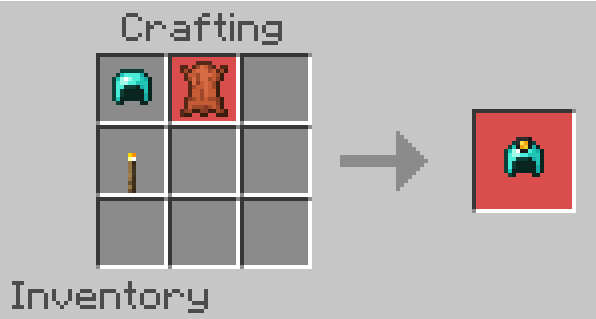
The extra content pack includes lantern helmets for several armor tiers, including Copper, Iron, Chainmail, Gold, Diamond and Netherite.
🧩 Compatibility
player.json.
📦 Installation
System Dynamic Lights uses two required packs:
- System Dynamic Light BP/BH — behavior, scripts and mechanics
- System Dynamic Light RP/RS — textures, models, names and translations
Both packs are required.
If you also want the optional lantern helmets and extra content, install the separate System Dynamic Extra pack too.
📜 Previous Updates
V3.3.1 — Configuration & Custom Item Update
- Independent Main Hand Light settings
- Dynamic Light Range
- Custom light items selected from inventory
- Light levels 1–15 for custom items
- Independent main-hand, offhand and dropped-item support
- Personal and world reset options
- Expanded performance presets and clearer UI status colors
- Improved item lore cleanup
V3.2.9 — Lore Duplication Fix
Fixed an issue that could cause System Dynamic Lights lore to be duplicated on supported light-emitting items.
V3.2.8 — Translation Expansion
Expanded translation support for light-item descriptions, new content and Configuration Book information.
V3.2.7 — Stability, Performance & Light Catalog
- Improved inventory lore handling and stack merging.
- Improved player-light priority over dropped items and entities.
- Reduced unnecessary dropped-item and entity processing.
- Reworked the supported light-item catalog with controlled identifiers.
- Changed visible lore wording to Light Level.
- Removed global gamerule changes that could interfere with other addons.
V3.2.6 — Configuration Book Expansion
Expanded the System Dynamic Light Configuration Book with detailed settings and information pages.
V3.2.5 — Redstone Items & Cave Lighting
Added Redstone Dust, Redstone Repeater and Redstone Comparator to supported offhand/light items and fixed lighting behavior inside caves.
V3.2.4 — Improved Offhand Placement
Improved light placement from the offhand with the Sneak + Hit mechanic.
V3.2.2 — More Supported Light Sources
Added additional supported light sources such as Conduit and Brewing Stand, fixed stair-lighting behavior and improved candle support.
V3.2 — Copper Lantern Helmet
Introduced the Copper Lantern Helmet and expanded optional helmet-based lighting.
🚀 Community & Support
Report bugs, suggest supported light sources, follow future updates or request a custom Minecraft Bedrock addon.
If you showcase System Dynamic Lights in a video, review or external website, please send players to the official addon page.
Do not redistribute the addon through your own direct download links.
⬇️ Download System Dynamic Lights
Download System Dynamic Lights for Minecraft Bedrock from the official CurseForge project page.
✅ Realms & Multiplayer · ✅ Action & Stuff · ✅ Achievements Friendly · ✅ No Experimental Gameplay · ✅ No player.json
.jfif)


