--- Compatible with any Addons || Realms!! || Action and Stuff ---
-This add-on does not disable achievements.-
-Not need any experimental games-
-DOES NOT USE PLAYER.JSON-

Tired of chopping trees so slowly? Well, look no further, this addon will allow you to remove an entire tree by chopping just one block, it is compatible with any addon since it does not use player.json, but rather it uses gametest and it will also make any custom axe from another addon work with the function of tree capitator granted by this addon, functional for Minecraft Bedrock.
Update V4.0 Improvements, New Options and bug Fixed
Definitive Tree Capitator – Configuration Guide
Definitive Tree Capitator includes a complete configuration book that allows each player to customize how trees are detected and chopped.
The configuration is individual for each player, so everyone can choose the behavior that best fits their world, device or playstyle.

Video Review
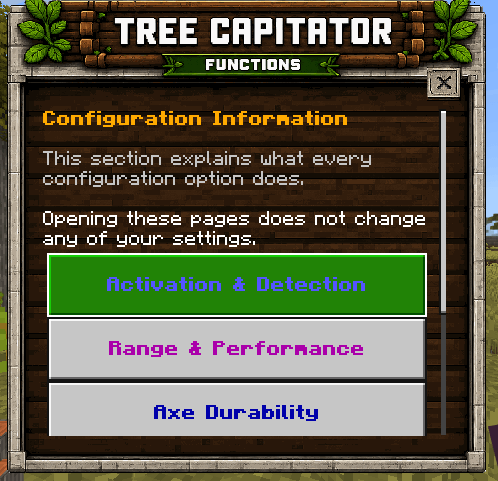
Information Option
All the information you are about to read is explained in detail in the configuration book, specifically in the Information section. There, you can learn what each option does and customize the addon to your liking.


Language Compatibility
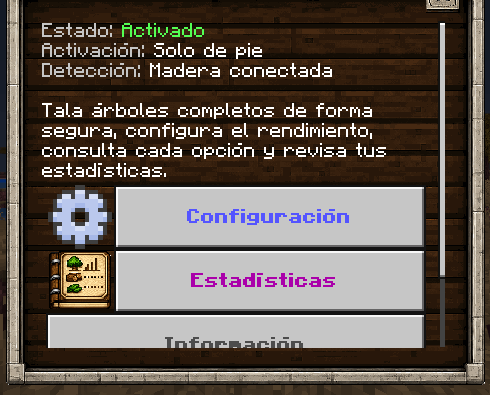
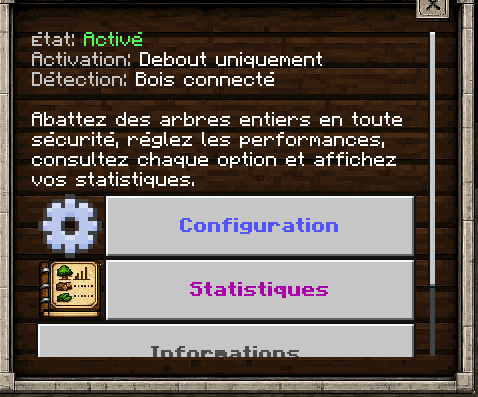
This update also adds compatibility with all languages available in the game, including Spanish, Japanese, Chinese, English, Portuguese, French, and many more.
All buttons, descriptions, and information included in this new update can now be fully translated into every supported language.


Activation Mode
Controls when Tree Capitator activates.
- While Standing: The addon activates only when the player is not sneaking. Sneaking allows individual logs to be broken normally.
- Always Active: Tree Capitator activates whenever a valid tree is broken.
- While Sneaking: The addon activates only while the player is sneaking.
Tree Detection
Determines how strictly the addon identifies trees.
- Smart Detection: Uses stricter checks such as the type of log, tree shape, leaves and valid soil. This is the recommended option for normal survival worlds because it helps prevent player-built structures from being destroyed.
- Relaxed Detection: Accepts additional log variants, including stripped logs and wood blocks, while still performing basic tree validation.
- Connected Blocks: Chops compatible connected logs with fewer restrictions. This mode also provides better compatibility with custom trees from other add-ons, but it may affect wooden structures if used without caution.
Detection Range
Controls the maximum area that can be searched when detecting a tree.
- Small: Recommended for low-end devices and small trees. Detects up to approximately 96 logs.
- Default: Balanced option for normal survival gameplay. Detects up to approximately 320 logs.
- Large: Designed for large and irregular trees. Detects up to approximately 900 logs.
- Giant: Intended for extremely large or custom trees. Detects up to approximately 2,200 logs.
Larger ranges require more processing, especially when breaking leaves.
Chopping Order
Controls the order in which the detected blocks are destroyed.
- Bottom to Top: Progressively chops the tree starting from the lowest logs and moving upward.
- Top to Bottom: Progressively removes the leaves and upper sections before continuing downward.
- Fast: Processes the detected blocks without sorting them by height. This is the closest option to the classic instant chopping behavior.
The progressive chopping feature has not been removed. It is now controlled through the chopping order and chopping duration settings.
Chopping Duration
Controls approximately how long the complete tree-chopping animation should take.
Available durations:
- No delay
- 0.5 seconds
- 1 second
- 2 seconds
- 3 seconds
- 5 seconds
- 10 seconds
Selecting No Delay processes the tree as quickly as the selected performance mode allows.
For very large trees, the process may take slightly longer than the selected duration to avoid processing too many blocks during a single game tick.
Performance Mode
Controls how many blocks the addon can scan and break during each game tick.
- Safe: Uses fewer operations per tick. Recommended for mobile devices, low-end hardware and multiplayer worlds.
- Balanced: Provides a good balance between chopping speed and performance. This is the default option.
- Fast: Processes more blocks per tick. Recommended for powerful devices or smaller trees.
This setting does not determine the total chopping duration by itself. Instead, it limits how much work the addon can safely perform during each tick.
Axe Durability Cost
Controls how much durability is removed after chopping a tree.
Available options:
- No additional durability cost
- 1 durability point per tree
- 2 durability points per tree
- 5 durability points per tree
- 10 durability points per tree
- 1 durability point for every 4 additional logs
The durability system respects the Unbreaking enchantment and does not damage tools while the player is in Creative Mode.
Enable Addon
Completely enables or disables Tree Capitator for the player without requiring the behavior pack to be removed.
The addon can also be toggled quickly by sneaking while using the configuration book.
Break Leaves
When enabled, leaves connected to the detected tree are destroyed together with the logs.
Disabling this option causes only the logs to be chopped.
Allow Custom Axes
Allows axes and hatchets from other add-ons to activate Tree Capitator.
The addon automatically recognizes many custom items whose identifiers contain common names such as axe or hatchet.
Only Chop from the Base
Requires the player to start chopping near the lowest part of the tree.
This helps prevent accidental activation when breaking branches, tree houses or wooden structures connected to trees.
Protect Player-Placed Leaves
Prevents persistent leaves placed by players from being removed.
Naturally generated leaves can still be destroyed normally while decorative leaves are protected.
Nether Fungi
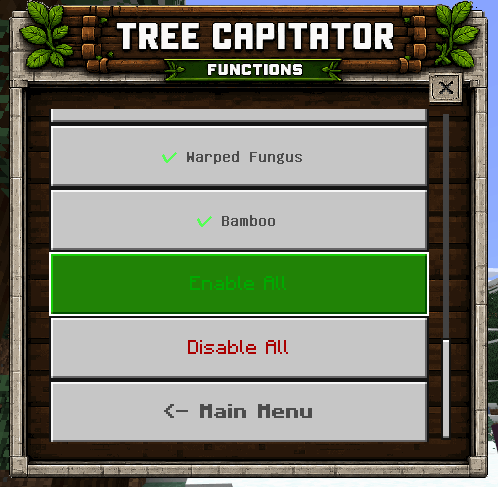
Enables support for Crimson and Warped fungi, including their stems, hyphae and wart blocks.
This option can be disabled when the player wants Nether wood to behave normally.
Bamboo
Enables Tree Capitator behavior for connected bamboo plants.
Because bamboo structures can also use connected bamboo blocks, this option can be disabled separately.
Automatic Replanting
Automatically replants a sapling after a valid tree has been completely chopped.
The player must have the correct sapling in their inventory, and the original planting location must still have valid soil.
Large 2×2 trees can consume multiple saplings when the original trunk used a 2×2 formation.

Chopping Sounds
Enables axe sounds while the tree is being progressively chopped.
Sounds are played at controlled intervals to avoid excessive audio repetition.
Chopping Particles
Displays particles on some of the logs and leaves while the tree is being destroyed.
Disabling this option may slightly improve performance on low-end devices.
Action Bar Summary
Displays useful information after chopping a tree, including:
- Number of logs destroyed
- Number of leaves destroyed
- Durability consumed
- Detection or range problems
- Automatic replanting results
When a tree is rejected, the action bar can also explain the reason, such as insufficient leaves, invalid soil, an incorrect tree shape or attempting to chop above the base.

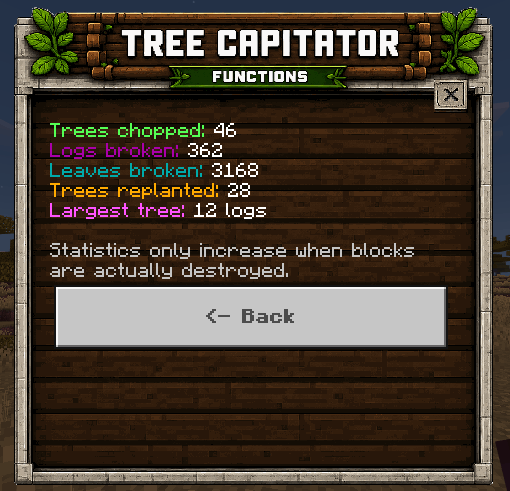
Statistics
The configuration book now includes a statistics section that records:
- Trees chopped
- Logs destroyed
- Leaves destroyed
- Trees replanted
- Largest tree chopped
Statistics are stored individually for every player.

Configuration Book Commands
The following chat commands are also available:
!treebook– Gives the player another configuration book.!treeconfig– Opens the configuration menu without using the book.!treetoggle– Quickly enables or disables Tree Capitator.
Major Configuration Update
This update completely expands the configuration system and improves tree detection, performance, compatibility and player customization.
New Features
- Added a completely redesigned configuration book.
- Added a dedicated information section explaining every available option.
- Added individual player statistics.
- Added statistics for trees chopped, logs destroyed, leaves destroyed, trees replanted and the largest tree chopped.
- Added three activation modes: standing, always active and sneaking.
- Added three tree-detection modes: Smart, Relaxed and Connected Blocks.
- Added improved support for custom trees from other add-ons when using Connected Blocks detection.
- Added four configurable detection ranges: Small, Default, Large and Giant.
- Added configurable chopping order.
- Added Bottom-to-Top progressive chopping.
- Added Top-to-Bottom progressive chopping.
- Added Fast chopping mode.
- Added configurable total chopping duration.
- Added duration options from instant chopping up to 10 seconds.
- Added Safe, Balanced and Fast performance modes.
- Added additional durability configurations.
- Added an option to consume one durability point for every four additional logs.
- Added automatic tree replanting.
- Added support for 2×2 tree replanting.
- Added support for oak, azalea and flowering azalea replanting.
- Added an option to protect player-placed leaves.
- Added an option that requires trees to be chopped from their base.
- Added separate toggles for Nether fungi and bamboo.
- Added a toggle for custom axes and hatchets.
- Added action-bar explanations when a detected structure is not considered a valid tree.
- Added completion summaries showing logs, leaves and durability consumed.
- Added the
!treebook,!treeconfigand!treetogglecommands. - Added a method to recover the configuration book when it is lost.
- Added quick addon toggling by sneaking while using the configuration book.
- Added full localization support for the book, menus, item lore, messages and action-bar text.
Improvements
- The old progressive chopping setting has been expanded into separate Chopping Order and Chopping Duration options.
- Tree chopping speed can now be adjusted without removing progressive chopping.
- Improved detection of natural trees.
- Improved protection against accidentally destroying wooden structures.
- Improved recognition of stripped logs, wood blocks, stems and hyphae.
- Improved compatibility with custom axes from other add-ons.
- Improved compatibility with large, irregular and custom trees.
- Improved large-tree processing to reduce lag spikes.
- Tree scanning now pauses between groups of operations instead of processing everything at once.
- Tree destruction is now distributed across real game ticks.
- Added configurable limits for the number of blocks processed per tick.
- Added protection against multiple overlapping tree-chopping processes.
- Added protection against starting another chopping process while the player already has one active.
- Improved leaf detection around irregular tree shapes.
- Player-placed persistent leaves can now be ignored.
- Leaves connected to other nearby trees are better protected.
- Improved base detection for large and 2×2 trees.
- Improved tool tracking during progressive chopping.
- Durability is now applied to the original axe used to start the process.
- The Unbreaking enchantment is now respected when applying durability damage.
- Tools no longer receive durability damage in Creative Mode.
- Added proper tool-breaking sounds.
- Improved support for players who change inventory slots while a tree is being chopped.
- Configuration from older versions is automatically migrated to the new system.
- Existing progressive and sneak settings are preserved during migration.
- The configuration book now includes translated lore and Keep on Death support.
- Improved compatibility between different Minecraft Script API form versions.
Fixes
- Fixed configured chopping durations being processed almost instantly.
- Fixed progressive chopping not respecting real game ticks.
- Fixed trees being processed too quickly on some devices.
- Fixed excessive processing when detecting very large trees.
- Fixed placed leaves being destroyed together with natural leaves.
- Fixed durability being applied to the wrong item after changing inventory slots.
- Fixed custom pickaxes being incorrectly detected as axes.
- Fixed possible conflicts when multiple players chopped nearby trees simultaneously.
- Fixed some invalid structures being incorrectly detected as natural trees.
- Fixed configuration values from previous versions not being properly converted.
- Fixed missing feedback when a tree could not be chopped.
- Fixed the configuration book being difficult to recover after losing it.
- Fixed duplicated configuration books when the player already had one.
- Fixed untranslated interface elements and action-bar messages.
- General code organization, stability and performance improvements.
Update V3.7.7
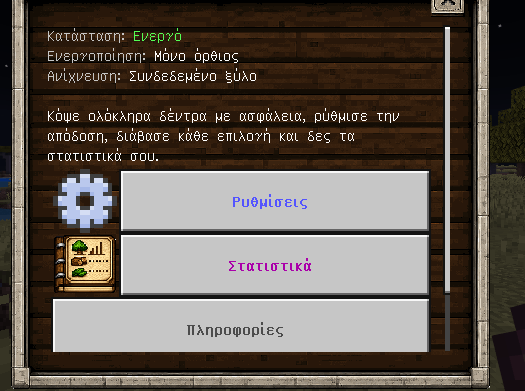
The configuration book now has an introduction and new configuration options for the Tree Capitator.
Four new options have been added to the configuration book, as shown in the following images. Below, I will explain what each option does.

Tree Search Range
Allows you to configure the size of the trees that the axe can break, or more specifically, the search distance covered by the Tree Capitator.
Axe Durability Cost
Allows you to configure how much durability the axe will lose each time the Tree Capitator is used.

Chopping Sounds
Allows you to enable or disable the sounds played when breaking trees.
Chopping Particles
Allows you to enable or disable the particles generated when breaking a tree.
-Function🔨
This time, we added a new texture for the Tree Capitator book form interface, which will allow access to 2 options for now.

The options are Settings and Statistics. The Settings menu, as you already know, allows you to customize how Tree Capitator works, with options such as chopping trees instantly or progressively, breaking or keeping leaves when chopping trees, and many other settings.

In the new Statistics option, you will be able to see the total number of trees chopped, as well as the number of logs and leaves broken since you started using the Tree Capitator feature. Keep in mind that only trees, logs, and leaves broken using the Tree Capitator function with an axe will be counted. Trees chopped by hand, with any other item, or while the Tree Capitator feature is disabled will not be included in the statistics.

Upon entering the world, the player will receive a book that they will not lose upon death. They can store it in a chest or throw it away, but this book will allow them to configure their Tree Capitator. In multiplayer, each player can customize the Tree Capitator’s behavior individually.

You can open a customization menu with this book that will allow you to adjust the Tree Capitator to your liking. As you can see, all the options are enabled by default. Among them, we have options such as:
- Break Leaves: Allows breaking leaves when chopping a tree
- Progressive Chopping: Makes the tree’s wood break over time instead of all at once
- Work with Custom Axes: Allows the Tree Capitator to work with axes from other add-ons
- Disable When Sneaking: Disables the Tree Capitator while sneaking
- Chopping Sound: Plays a sound when chopping a tree
- Chopping Particle: Spawns a particle when breaking a tree

Now I will proceed to show how the axes work with the captain tree skill, and I will also do it with custom axes from any addon that has axes so you can see if it is functional with custom axes
This with vanilla axes.
Because the addon uses gametest you can also use the function with the axes of other addons.
then activate the addon you want to use together with the tree capitator, put it first in case the other addon uses the player.json and also activate all the experimental games for the correct functioning of the addon.